The execution layer under your HR systems
Your HR platform already knows who starts Monday and who hits five years next quarter. GiftWorks acts on it: budget applied, approval routed, merchandise sourced, delivery tracked, outcome reported.
Your HRIS, the human resources information system that holds the record of every worker event, already knows who starts on Monday, who reaches five years next quarter, and who moved into a new role last week. The record exists. The action on it usually does not.
What happens instead is familiar. Someone in People Ops opens a spreadsheet, emails three suppliers, chases a budget approval through two managers, and hopes the kit lands on the desk before the person does. It works when someone remembers. It fails quietly when they do not.
GiftWorks closes that gap. We read the event, apply the budget policy your team wrote, route the approval to the person who owns it, source the merchandise, coordinate the supplier, track the delivery, and report what it cost. Recognition platforms decide who deserves what. GiftWorks operates how it actually arrives.
Built to work with data from platforms like Workday and ADP. Built to run underneath the recognition programs you already have, not beside them.
How it works
Five stages. Six agents. Six named human gates.
Sense, Decide, Govern, Fulfill, Learn. Each agent has one job, defined inputs, and authority it cannot exceed.
An agentic system that can spend company money and mail things to employees needs to be bounded on purpose. Ours is. There is no general assistant reasoning its way across your organization. There are six narrow agents, each with a specific input, a specific output, and a specific person who signs before the next one starts.
The loop runs the same way every time.

| Stage | Agent | What it does | Named human gate |
|---|---|---|---|
| Sense | Lifecycle Listener | Watches the event feed from your HR system for the moments that matter: a start date, a work anniversary, a promotion, a recognition award, a departure. It reads the event, not the employee file. It raises a candidate action and stops there. | HR approves which event types are live. Nothing fires on an event type no one turned on. |
| Decide | Budget & Policy | Holds the rules your organization already has: spend tiers by tenure, cost center ownership, eligibility, regional limits, blackout periods. When an event arrives, it confirms eligibility and returns the budget band that applies. It cannot exceed a band and it cannot invent one. | HR and Finance own the policy set. Agents apply rules. They never write them. |
| Decide | Personalization | Proposes a short set of appropriate options inside the approved budget band, using role, work location, and prior selections. It narrows a wide assortment down to a handful of sensible picks. It never sends a choice straight into production. | The employee or their manager makes the final pick. If the recipient does not choose, a fallback applies, and HR sets the fallback. |
| Govern | RFQ / Procurement | Runs the RFQ, the request for quote sent out to suppliers, against an approved specification: quantity, decoration, materials, required delivery date. It compares returned bids on price, lead time, and past supplier performance, then presents one recommendation with the reasoning attached. It does not commit spend. | Procurement approves the vendor and the quote before any purchase order is issued. |
| Fulfill | Fulfillment | Manages everything after the order is placed: artwork proofs, production status, carrier tracking, address exceptions, replacements for damaged goods. It flags a slipping delivery date before the date slips. Every status change is written to the record as it happens. | Ops handles escalations. Anything outside a defined tolerance goes to a person, not to a retry loop. |
| Learn | Insights | Reports what actually happened: cost per event, delivery performance by supplier and region, policy exceptions, opt-out rates, spend against budget by cost center. It proposes changes to tiers, suppliers, and assortment. It does not apply them. | Leadership reviews. A policy change takes effect only after a named owner approves it. |
Govern is a stage in the loop and also a property of the whole loop. Every one of the six agents stops at a person before its output becomes an action, which is why the table has six gates and not one.
Governance
Governance is the product, not the paperwork around it
Bounded authority, named approvers, and an append-only record of every decision the system made.
Most pilots involving employee data and company spend do not die in the business case. They die in security review, in procurement, or in the first audit question nobody can answer. We built for that meeting first.
Human gates are roles, not a queue. Each of the six agents hands off to a specific owner: HR on trigger types, HR and Finance on policy, the employee or manager on selection, procurement on vendor and quote, ops on escalations, leadership on program review. Approvals map to the people who already hold that authority in your organization. We do not create a new approval hierarchy for you to maintain.
Bounded authority means the ceiling is in the design. An agent cannot spend past its band, add a supplier nobody approved, change a policy, or act on an event type HR has not switched on. Those are not settings we recommend leaving on. They are limits the agent has no path around.
The audit log is append-only. Every input, decision, and approval is written once with a timestamp and the identity that approved it. Entries are added, never rewritten and never quietly amended. When Finance asks in March why a specific order went to a specific employee in a specific cost center, the answer is a record, not a reconstruction from someone's inbox.
2026-08-12 09:14:03 UTC event=work_anniversary_5yr Lifecycle Listener outcome=action raised
2026-08-12 09:14:04 UTC policy=tenure_band_5yr Budget & Policy outcome=band applied
2026-08-12 09:31:18 UTC selection=fallback_set_by_hr Personalization approver=M. Okafor, HR outcome=approved 2026-08-12 10:02:51 UTC rfq=recommendation RFQ / Procurement approver=J. Tanaka, Procurement outcome=approved 2026-08-24 08:40:07 UTC delivery=confirmed Fulfillment outcome=delivered on required date
The practical effect is speed. A program you can explain line by line in an audit is a program you are allowed to expand. Governance is what lets this go from one event type in one region to the full lifecycle across the company.
Data posture
We ask for the fewest fields the work requires
Six fields run the loop. Compensation, Social Security numbers, and performance detail are not among them, and we do not want them.
Data minimization is a design decision we made early, not a policy page we wrote later. Sending the right item to the right person on the right date needs a narrow slice of what your HR system holds.
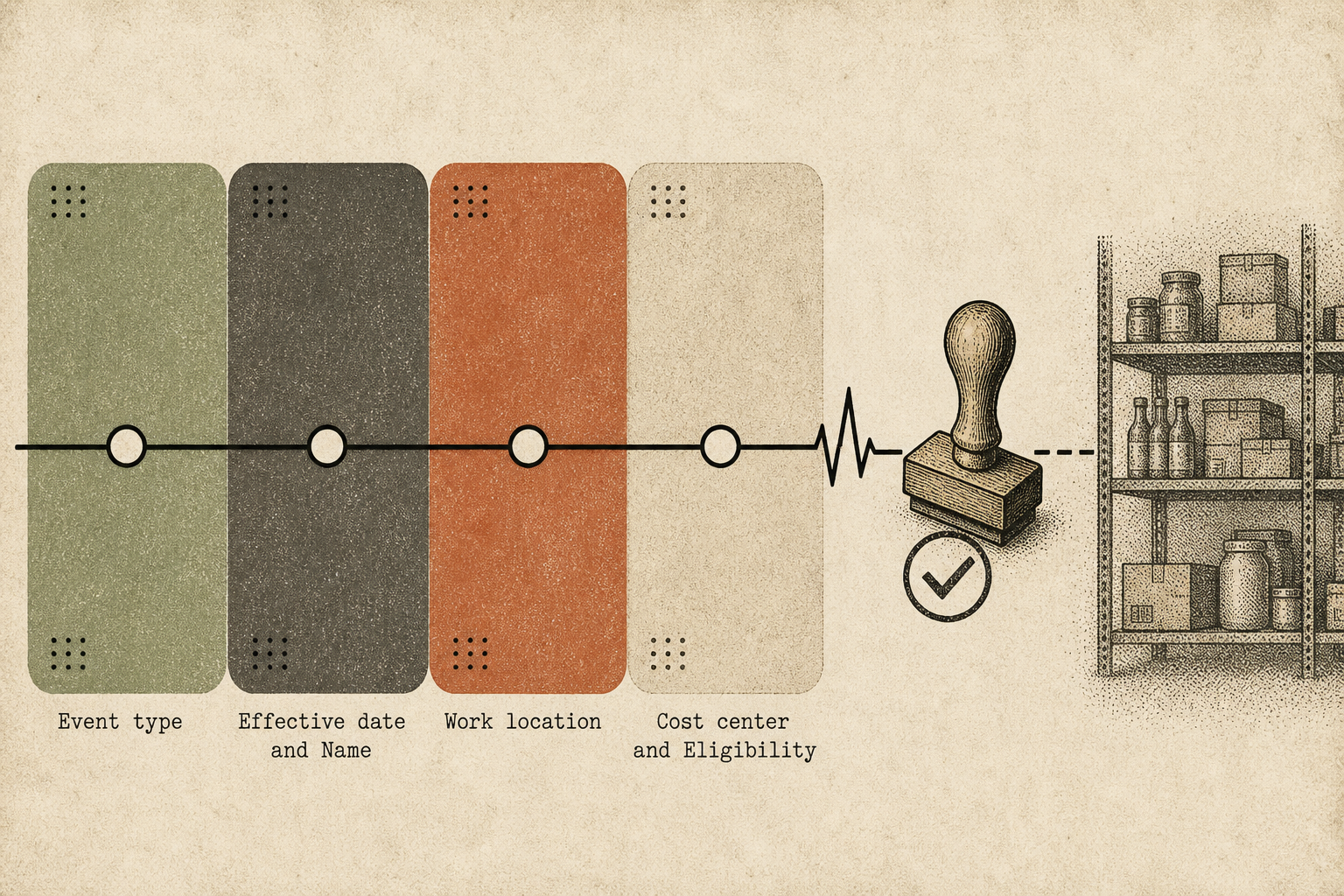
What the workflow needs:
- Event type
- Effective date
- Name
- Work location
- Department or cost center
- Eligibility flags
What it does not need:
compensation, Social Security numbers, performance ratings or review detail. Requesting less means a shorter security review, a smaller footprint, and a clearer answer when someone asks what we hold and why.
Integration is staged, and the first stage is deliberately boring.
- CSV
- SSO
- API
- Marketplace
Listing is the last step, not the first. Marketplace listing is aspirational.
- CSV or secure export. Start here. A scheduled export of the six fields is enough to run a real program end to end. No engineering ticket, no production access, no integration project.
- SSO. Single sign-on next, so access follows the identity rules you already enforce, with least privilege by role.
- API and webhooks. Live event integration comes last, built around workflows that have already been validated in production with real deliveries behind them.
Access runs on least privilege. Retention is bounded by agreed limits rather than kept indefinitely. Decision logs are retained separately from personal data. Every employee record carries a per-employee pause and suppress control, so an individual can be held out of a program for any reason, permanently or for a period, without an exception process or a support ticket.
On the roadmap
On the roadmap and not shipped: a clean per-employee taxable-value feed back into payroll. Non-cash awards are generally treated as taxable fringe benefits, which creates imputed income, the value of a non-cash award that has to be added to an employee's taxable wages. Today most gifting programs push that work onto payroll by hand. We intend to emit it as structured output. We will describe it as available when it is.
What GiftWorks is not
The catalog is the easy part of this business. We built the hard part first and attached it to your HR data.
Not a swag vendor. A merchandise vendor sells you a catalog, puts your logo on it, and invoices you. The buying, the approvals, the tier logic, the address handling, and the chasing all stay yours. We start from procurement and fulfillment operations, the physical part that actually breaks, and run it as software.
Not a recognition platform. Achievers, Workhuman, and Awardco decide who deserves what, and they should keep deciding it. Their programs, points, and nomination flows stay the recognition system of record. When a recognition outcome needs to become a physical thing on a doorstep, that is our job, and we do it for their outcomes as readily as for a direct trigger from your HR system.
Not a system of record. Workday and ADP hold the truth about your workforce. We read events from that record. We do not duplicate it, compete with it, or ask you to maintain a second version of it.
Not a marketplace. There is no catalog to browse, no cart, no per-employee redemption site. There is a lifecycle event, a policy, a short approved set of options, and a delivery.
Here is the frame plainly. Incumbents began with recognition software and later attached a catalog to it. We began with merchandise, procurement, and fulfillment at operating scale, the part that gets hard when a thousand kits have to reach a thousand addresses on time, and attached it to HRIS signals. That order matters. Deciding who deserves a gift is a software problem. Getting it to them, correctly, inside budget, on the date it means something, is an operations problem. We are the operations layer, and we run underneath the systems your organization has already standardized on.
Run the loop on two event types and see what it costs
Start with a scheduled export, onboarding and anniversaries, and one region. Keep the approvals you already have. Read the log afterward.
A demo is a conversation about your actual lifecycle events, not a product tour. Bring the event types you already handle manually, onboarding kits and work anniversaries are the usual starting points, and we will walk the loop against them: what the Lifecycle Listener would see, which budget band applies, who approves at each gate, what the supplier timeline looks like, and what the audit record contains at the end.
The pilot shape is the same one we propose everywhere. CSV first, 60 to 90 days, two event types, weekly metrics, a written readout at the end. If it holds up, the next event type is a policy decision rather than another project.